Submit Tool → ⭐Write Review →
TECH TURF EDITORIAL & AI INSIGHTS

Mobile App Development Technology Articles & Guides

In-depth software benchmarks, AI workflow tutorials, enterprise asset tracking insights, and expert reviews curated by the Tech Turf research team.

LATEST PUBLICATIONS

Recent Articles & Deep Dives

Advertisement

Category: Mobile App Development Technology

Get here the latest information about the mobile application technology and recent news updates to understand the world of mobiles apps and it’s programming or coding.

  • Fundamental Components of An Android Application

    Fundamental Components of An Android Application

    Hey, we are going to tell you about the fundamentals of an android app in this article. so if you are a student or a developer or anyone who needs to the basic of the android app or the starting points of an android application can read this article.

    Components of an Application

    Component means a part of a larger whole, components in Android are parts that make up an Android app, they are basic building blocks of an Android app. the system enters your app through these components for example when you get a notification about calendar app, you click on it and it takes you to a specific activity. Any android app that you paid is made up of four basic components or fundamental elements those are

    • Activities
    • Services
    • Broadcast receivers
    • Content providers

    What is An Activity in Android Application

    Activity is any component which you can interact with. any user interface that you interact with, for example if you log into your app you will see a login screen, if you want to sign out your page, where sign-on screen, a sign-up screen on your dashboard etc. so any user interface that you see on your lap it’s nothing but an activity.

    What are Services in Android App

    Services are anything which does not have an interface but they run in the background. so anything which does not have an interface but they should be done in the background for a long period of time is the services. for example, you have downloaded a  large image from a website. so you can download it into a service and you could not have any UI and it would be running in the background or you want to sync the contents of your app with the contents of the server, so that you would use a service which runs in the background and there are all the same thing operations.

    What is a Broadcast Receiver

    Broadcast receiver is a subscriber pattern wherein you subscribe for some event and when that event occurs you can notify them saying that event has occurred. you can perform some operations on it. an example would be, you want to start your app or do something when the phone has just been started so if you can register for that event and as soon as your phone is restarted you will get an even saying your phone as we started. you can the corresponding operations that you need to perform on that evening.

    What is content providers

    Content providers are basically an abstract layer which helps in sharing data between different apps. you can imagine a content provider as basically a database from which different apps can query data, with the required permissions. the primary goal of a content provider is to share data between different apps. an example for content providers would be a contact manager wherein different apps can use a contact manager to get all the contacts, their phone numbers, their data from it.

    Alll of these four components, the three components namely activity, services, and broadcast receivers can be activated by an intent. the fourth which is the content provider cannot be activated by an intent.

    An intent basically a messaging system in Android, which is used to pass messages between different components of the Android system.

    Manifest file

    You must declare all the app components in the manifest files so the system knows that those components actually exist. when you create a new project with an empty activity, Android studio automatically declares that activity in the manifest file. you can declare permissions such as accessing the internet minimum API level, hardware requirements such as accessing the camera app or the fingerprint scanner.

    manifest file in android app

    All of these components are declared under the application element to declare an activity we use activity element, to declare a service use service element, for broadcast receivers use receiver element and for content providers use provider element.

    How to define a components in Android Application

    how to define component in android application

    In the manifest file, you can declare an activity like using the activity tag. it has an attribute per name which is nothing but the class of the activity that you want to declare.

    The Lable is nothing but the spring which will be displayed in the activity. interpreters are basically telling the Android system what intent will this activity respond to.

    To declare a receiver, you can use the receiver tag differently with the name of the class given in the hydrocodone name. you can add an intent filter saying that for what events will this receiver responds. For Example, whenever a Wi-Fi state of the device changes, this receiver will get the notification and it will execute.

    To declare service, you just need to use the service tag and you can give a name service in the name attribute of the tag. you need to use a provider tag, define a provider and the same goes for the signal.

    so these are the basics of an Android app I hope you liked it and remember to Like, comment and share it on social media websites.
  • Ideal Process of Developing A Mobile Application

    Ideal Process of Developing A Mobile Application

    As we all know, this century is dedicated to Information technology specially mobile application development. we are developing different kind of information mediums to connect and advertise; mobile applications are one of those mediums. Now every business is extending its reach toward mobile applications dedicated to their businesses and it is leading everyone to more and more competition in the mobile application development industry. the approach of the development of mobile application must be very clear so that it would be able to convey your business objective to your customers easily. An agile and organized way must be applied when we are going for mobile application development.

    Different kinds of mobile applications are being launched on daily basis at google and apple app stores. The purpose of each application must be clear from the starting of app development i.e. Game, entertainment, video streaming, chatting, business or e-commerce application. The development approach for each app would be different from another and since the technology is being upgraded rapidly, new ways of application development are coming in existence.

    There would be different stages in every agile mobile application development process that are stated below.

    1. The goal setting and understanding the aim of application development.
    2. Choosing the platform for application development.
    3. Deciding the structure and user interface of application development.
    4. Using an agile way of application development.

    Process of Mobile Application Development

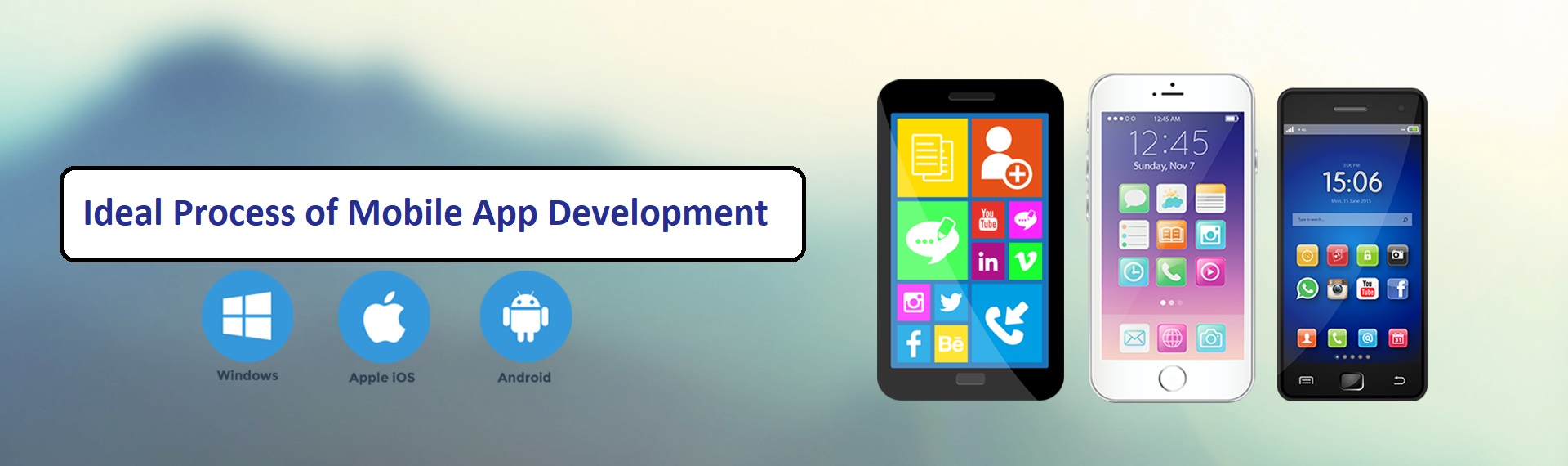
    The mobile application development is a platform-specific process. there are major two platforms in the market, Android and iOS that have covered the almost entire mobile application development market. Now hybrid platforms are also becoming popular since it is compatible with both iOS and Android operation systems, people are seeing it as the future of mobile application development.

    The iOS platform is managed by Apple company, so it fully compatible with iPhones and iPad and all other Apple products. The programming of IOS Applications is done into objective c and swift programming languages.

    The MAC, a product of apple support Xcode also know as Integrated Development Environment.

    The android is a product of Google and Java programming is used for its development. both the iOS and Android platforms are very popular in the market and require the high technical ability for its application development.

    Following are the step by step procedure of development of mobile application.

    1. App Idea Research
    2. Take feedback from customers
    3. Decide your Revenue Model
    4. know the uniqueness of your application
    5. Select your platform
    6. Making Decisions about the Budget
    7. Marketing of Mobile Application

    App Idea Research:

    Firstly, we should do market research about the app idea. It is the most basic step in building a mobile app. Find the need of your app idea in the market. If you find out that there is a requirement of certain kind of application among customers then you can start working on it.

    Take feedback from customers:

    Take strong feedback from your potential customers, you can also ask your friend and family members for suggestions to improve the elements of your mobile application. also, compare your idea with existing apps of the same niche and try to give something more than those apps to your customers.

    Decide your Revenue Model:

    An app can only be stated successful by its earning data. So, it is very important to decide the ways of revenues through your app. some apps get it’s earning through ads and many apps use payment getaways by selling any product or services.

    know the uniqueness of your application:

    Ask your customers about the uniqueness of your app. Your app must offer a fresh idea as well as its appearance. ask them to give a rating on certain points such as, do they like the idea of application or they find the application user-friendly or not.

    Select your platform:

    Now it is time to select your platforms of development. weather, it is android or IOS or both. after selecting the platform of development start choosing your team members. for android application development, you will need an android developer and for IOS application development, you will need IOS developer.

    Making Decisions about the Budget:

    Decide all possible expenses in the mobile application development and allocate the 25% of the budget in starting. It will be good to allocate the budget in different sets of 25 to 30%.

    Marketing of Mobile Application:

    As we all know that lakhs of apps launched on mobile app stores on monthly basis hence it is important to do something unique to be recognized among them. set your marketing idea very smartly that focused on your target audience only. first, launch prototypes of mobile app and ask for feedback from your customer. Do it two-three times and then launch your final app to your customers. Go with ASO, social, video and all other digital platforms of marketing for your app promotion.

    Since it is the digital era of marketing. No business can grow without the use of mobile applications for gaining more customers. as we all know that online marketing is growing rapidly, it makes the importance of mobile application development more valuable. A great app can be only be built through these steps, so follow these mentioned steps to get the best mobile application for your business.

Advertisement